For iOS
- Open Safari and go to the web interface
- Tap on the 3 dots in the bottom right corner
- Tap the ‘Share’ button (a square with an arrow pointing up
- Tap the button "View more"
- Select ‘Add to Home Screen’
- Now the orange Peblar-icon will be added to the Homescreen. Tapping this will bring you directly
to the webinterface of the Peblar.
If tapping the Peblar-icon you receive the following error:
then please follow these steps"
Open Settings on your iPhone.
Go to Apps → Safari.
Scroll down to Privacy & Security.
Disable "Warn About Not Secure Connections".
Try opening the charger's web interface again.
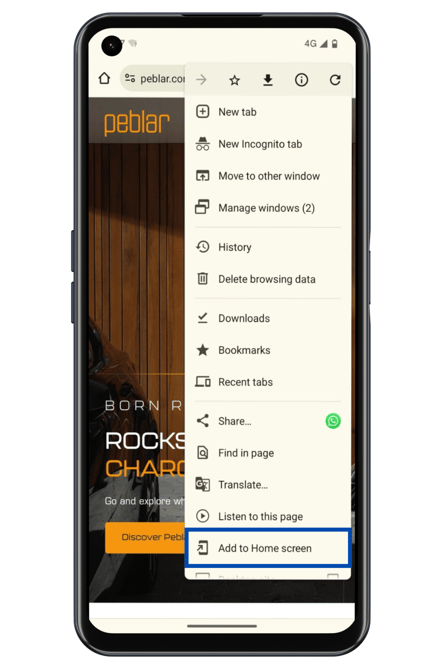
For Android
- Open Chrome and go to the web interface
- Tap the three vertical dots in the upper-right corner
- Select ‘Add to Home Screen’